
For Crew, By Crew
The complete show.
One platform.
From the production office to the breakout room, video village to the client post-con, CrewCall unifies your event management on a single platform. Build sessions, track speakers, version content, manage travel, and protect your margin – with unparalleled intelligence built-in. Say hello to one source of truth. Say goodbye to spreadsheet sprawl across multiple apps, versioning errors, late night crew letter writing, and unexpected hour burn.
CrewCall was built by actual show producers and crew staff who have spent 20+ years in backstage hallways and dark ballrooms. We’ve built the tool we always wished we had.
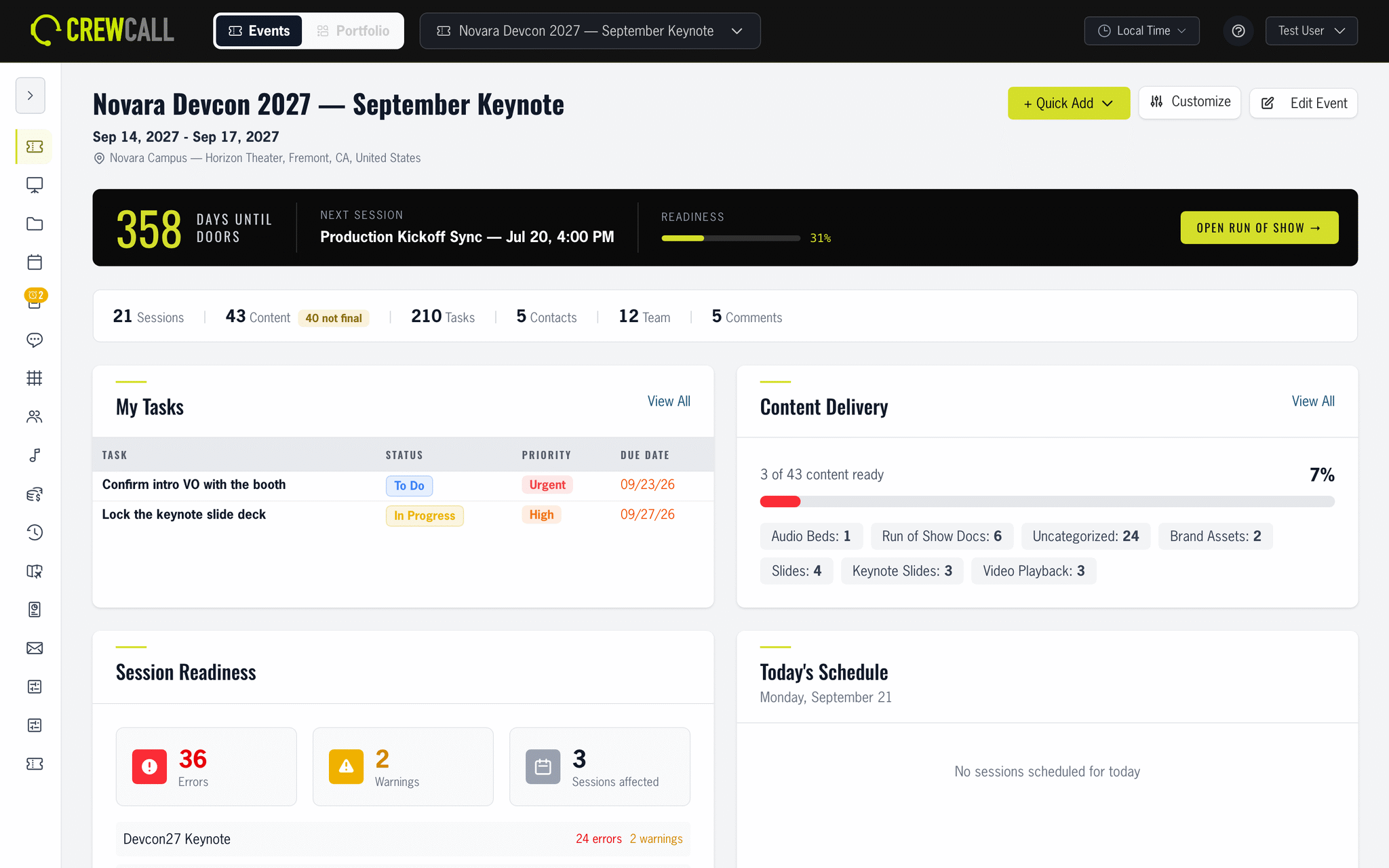
Two looks, one app
Small details make ALL the difference.
Work Mode for front-of-house and the production office. Show Mode for behind the curtain.
One tap switches the whole app, and CrewCall remembers your choice on every device.
Everything your event, crew, clients need.
And when we say everything, we pretty much mean it. Most tools pick a lane – the rundown, or the crew, or the budget – which leaves you to reconcile the rest in a spreadsheet at 1am. CrewCall is a complete solution, capturing all aspects of your show in an integrated way. Enter “it”, whatever “it” is, once and let it do its work across your show.
Your labor budget reads from the hours your crew actually logged. Your content library knows which cue plays the file. Your estimate freezes the wording the client signed.
Getting to show day takes a thousand small details… this is where they live, intelligently.
Run of Show
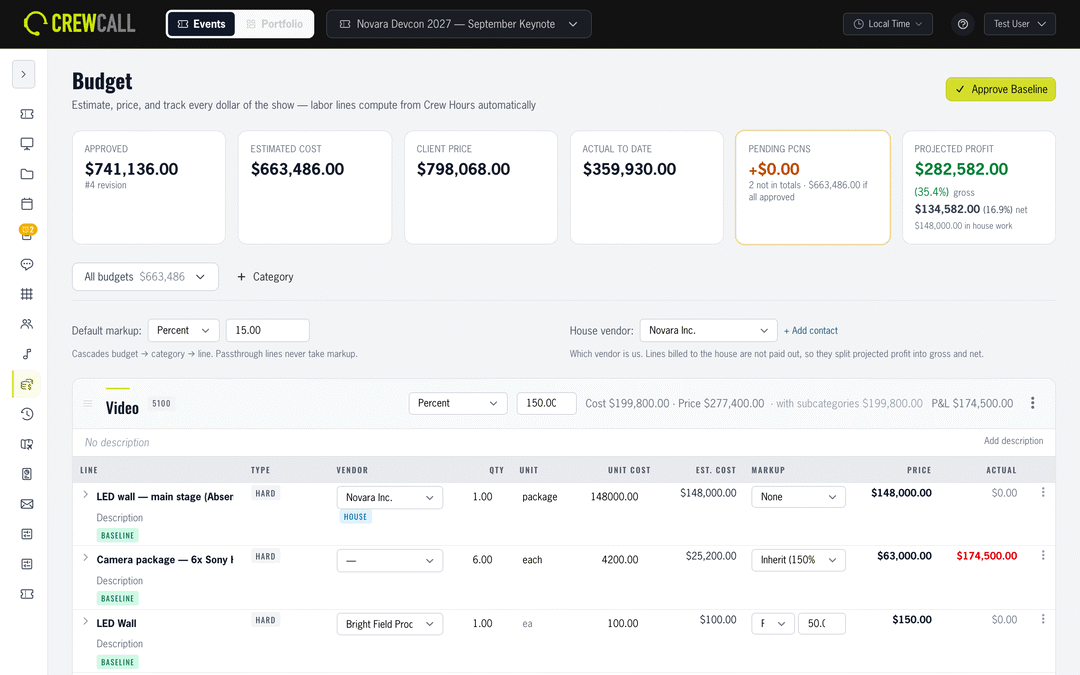
Build sessions, segments, and cues in one hierarchy, then run the day against it. CrewCall tracks actual times as you go and shows variance live, so everyone knows if you're over or under – while there's still time to fix it.
- Sessions → segments → cues with drag-and-drop ordering
- Live time tracking with running variance and smart alerts
- Follow mode so the whole crew sees the current cue
- Cue presets, types, and validation to catch mistakes early
- Rehearsal planner and teleprompter scripts built in
- Import your existing rundown from a spreadsheet
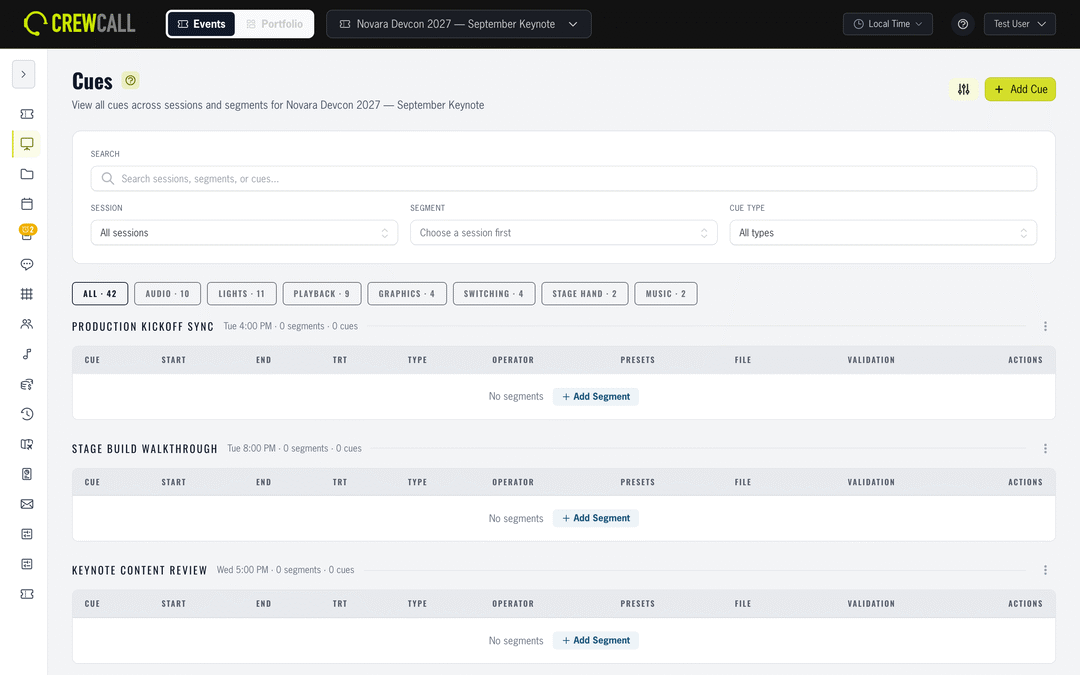
Crew, Hours & Labor
Manage teams, roles, and per-resource permissions, then track every hour against budget. Planned versus actual, burn by team, and labor cost roll-ups – the numbers your producer asks for, without the spreadsheet archaeology.
- Crew teams, role assignments, and org charts
- Hour budgets with planned-vs-actual burn tracking
- Labor cost calculation with rates and overtime rules per person
- Crew letters and granular per-person permissions
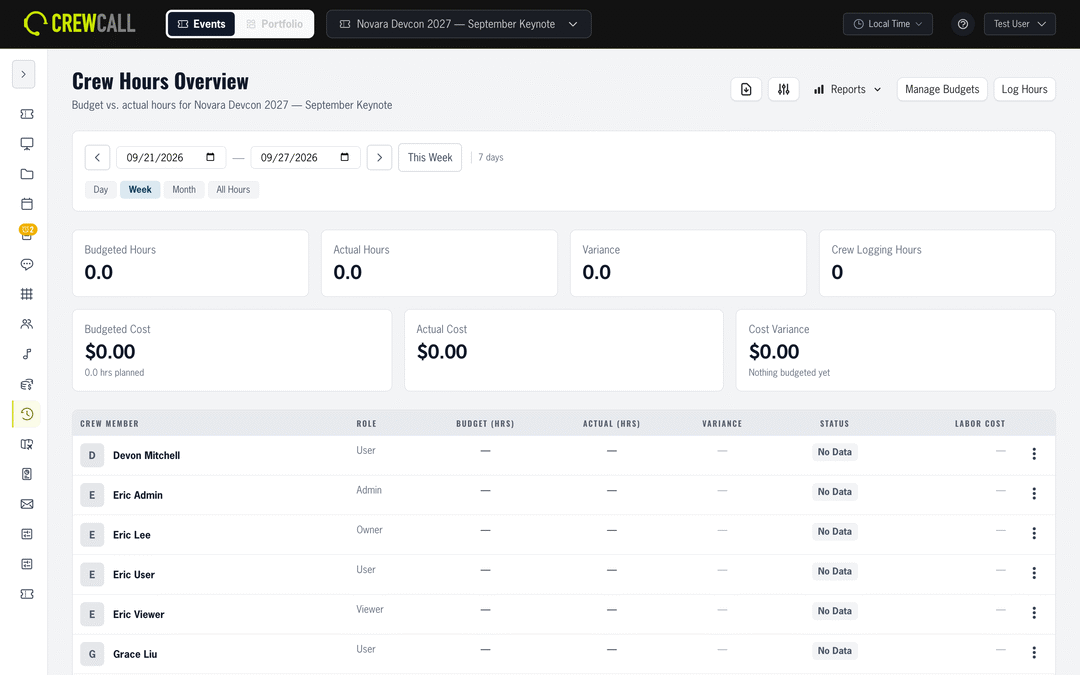
Show Budgeting
Build the budget where the show already lives. Hard costs, passthroughs, and labor in one worksheet, with markup that inherits instead of being retyped on every line. Labor reads from Crew Hours, so when the hours move, the budget moves with them.
- Multiple budgets per show, with an all-budgets roll-up
- Hard, passthrough, and labor lines with inherited markup
- Labor costed from Crew Hours, including overtime rules
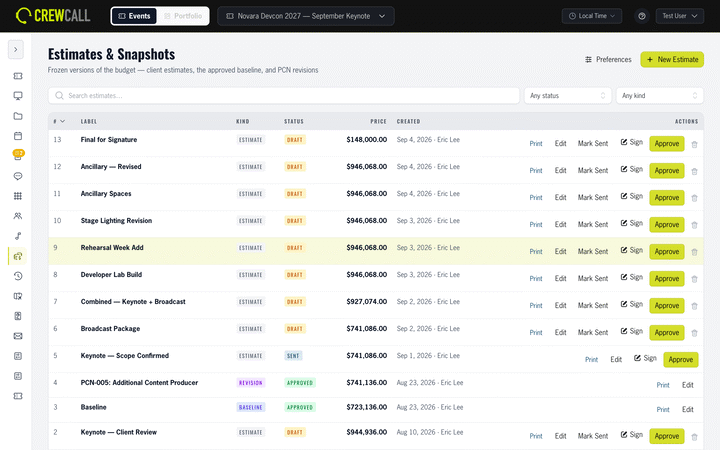
- Estimates freeze as numbered snapshots – terms and branding copied in, never re-referenced
- Change orders carry delta lines and a cause, and approving one cuts a revision
- Receipts and vendor invoices parse with AI, then post to a single ledger
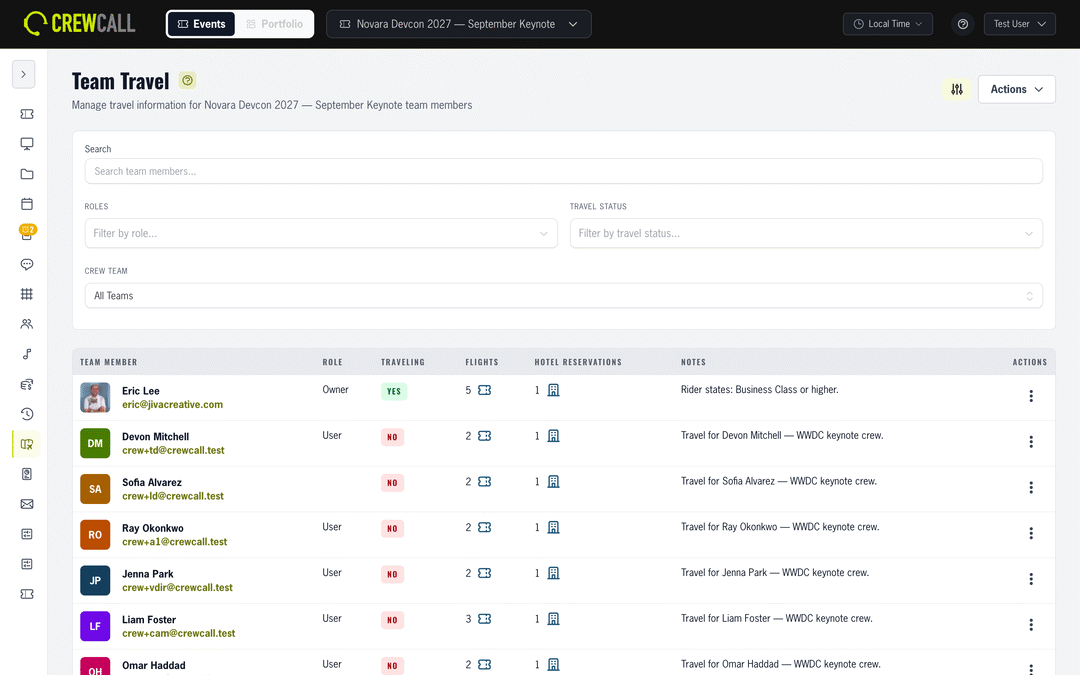
Travel & Lodging
Every flight, hotel block, and reservation for every person on the show – with live flight status and per-person itineraries. Forward a confirmation email and CrewCall parses it into structured travel records for you.
- Flights with live status tracking
- Hotel blocks, reservations, and confirmations
- Per-person itineraries and travel reports
- Paste-from-email import for flights and hotels
- Crew enter their emergency contacts and dietary and health considerations to keep in the emergency binder
Communications
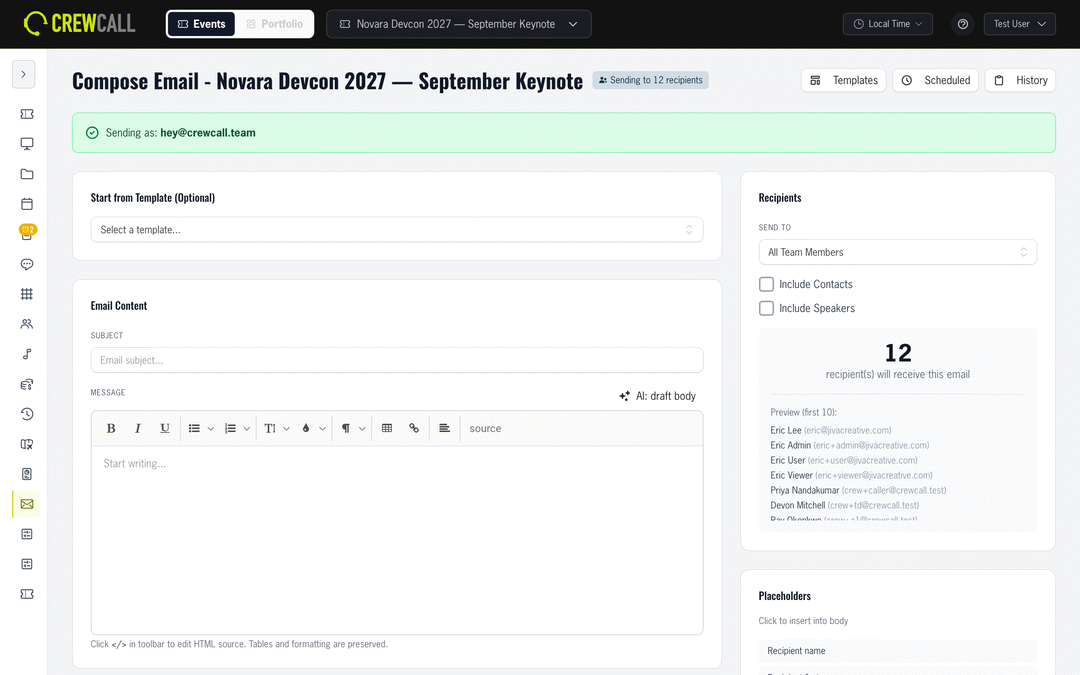
Send branded email from templates, let crew opt in to text alerts for the updates they choose, and keep event chat in the same place as everything else. Batches, scheduling, and delivery history included, so "did everyone get the call time?" has an answer.
- Branded email templates with batch sends and scheduling
- Opt in text alerts for schedule, travel and assignment changes
- Built-in event chat with your team
- Full send history and delivery tracking
Content & Media
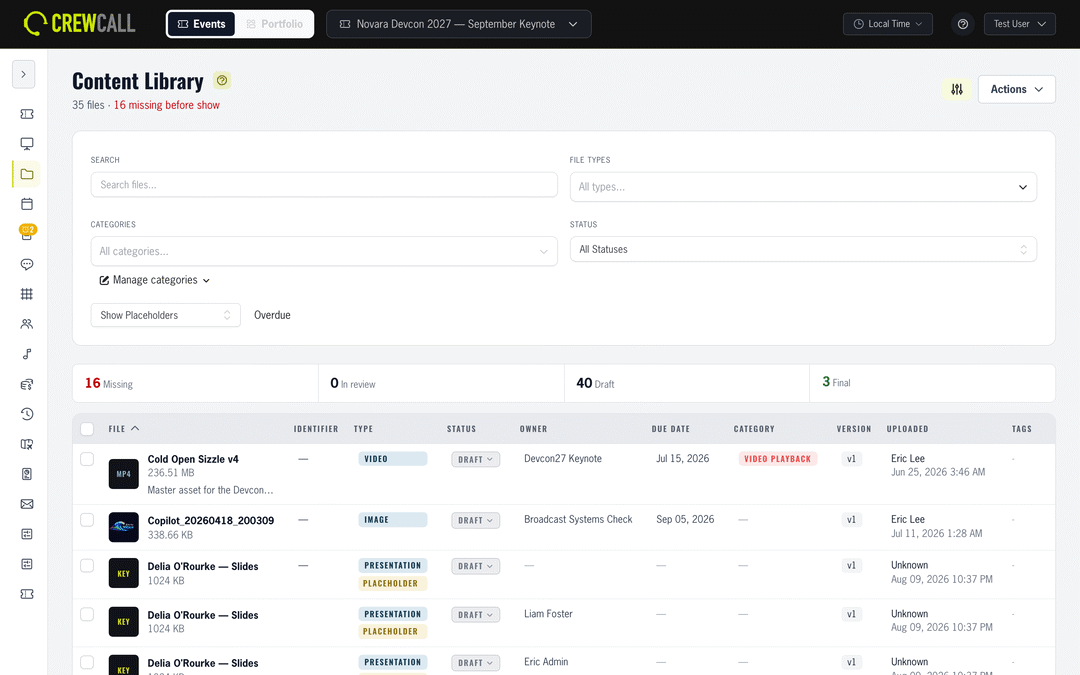
Track show content from first draft to screens – with version control, categories, and a media tracker that shows what's received, what's approved, and what's still missing a week out.
- Content library with version history
- Media tracker for received / approved / missing status
- Categories and event resources for crew documents
- Cloud storage integrations
Cloud Sync
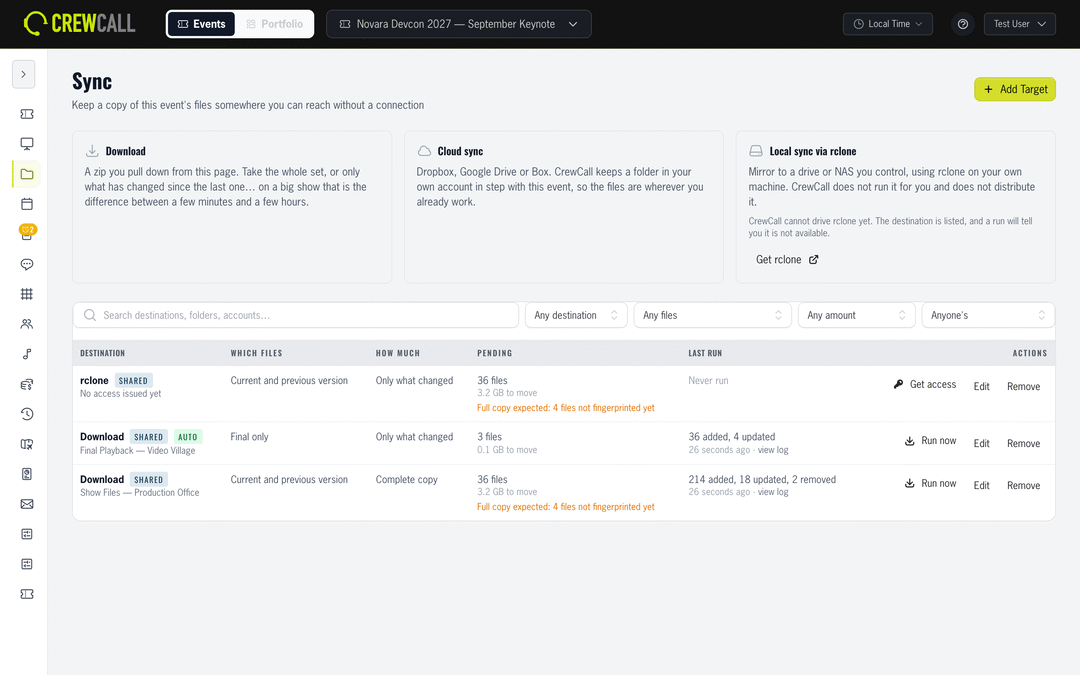
Mirror an event's content into your own Dropbox, Google Drive, or Box on a schedule you set. CrewCall tells you exactly what it is about to move before it moves it – so nobody starts a 40GB transfer on venue wifi by accident.
- Mirror into your own Dropbox, Google Drive, or Box
- Pick the scope: latest version, one previous kept, or final files only
- One flat folder or a folder per category – your call
- See the plan first: files to add, update, remove, and total size
- Runs automatically as content changes, with an hourly catch-up sweep
- Or take the whole show offline as a ZIP with a browsable index that needs no network
Portfolio
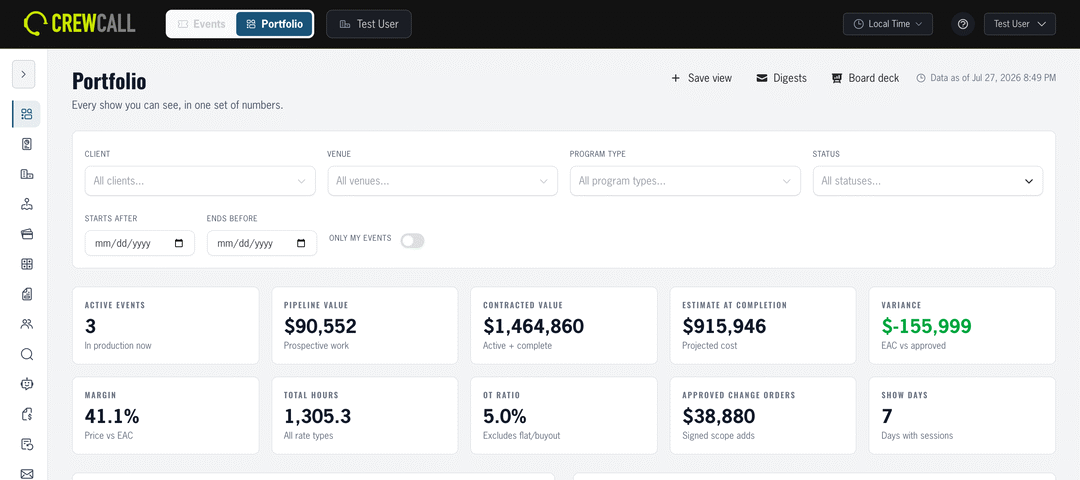
One event is a production. Twenty of them is a business. Portfolio sits above the shows and answers the questions a single event never can: where the margin actually went, which venues cost you, and what the pipeline is really worth.
- 10 headline figures across every show, each drilling into the report behind it
- 14 reports – budget summary, hours and overtime, utilisation, pipeline, vendor spend, estimate accuracy, client profitability, and more
- A client book and venue registry shared across events, with house notes on every venue
- Board deck out to HTML, PDF, or PowerPoint, and saved views emailed on a cadence
- A client portal where the client sees the price they agreed to and nothing about your cost
And that's not the half of it.
CrewCall has every corner of your production covered.
Calendar
Every session, rehearsal, and deadline on one visual calendar.
Crew Meals
Meal zones, schedules, and headcounts – with dietary needs tracked.
Music & VOG
Playlists, walk-in music, and voice-of-god announcements.
Tasks
Assignable to-dos with due dates, tied to the event.
Reports
Print-ready production schedules, crew lists, and lookbooks.
Custom Fields & Trackers
Track anything your show needs that we didn't think of.
Locations
Venues, rooms, and spaces – referenced everywhere they matter.
Speakers & Contacts
Profiles, headshots, travel, and contact info in one card.
Roster
Your company's talent pool, with skills and availability.
Pricing Library
Reusable catalog items, kits, and rate cards your estimates are built from.
API & Webhooks
Per-event read-only tokens and outbound webhooks for the tools we haven't met yet.
Help Center
Real documentation with real screenshots, plus support tickets from inside the app.
The intelligence you need.
CrewCall's built-in intelligence isn't a chatbot bolted on the side – it works directly and elegantly with your event's data. It drafts, summarizes, imports, and answers so your team spends show week on the show.
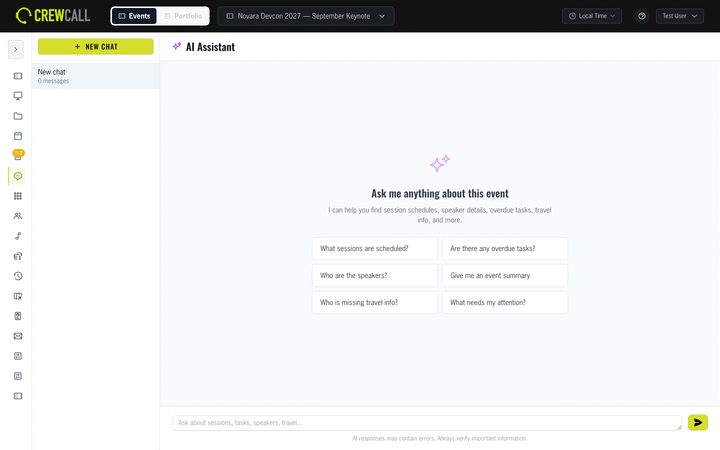
Ask your event anything
"Who hasn't confirmed their flight?" "What's left in the audio budget?" The AI assistant answers from your live event data.
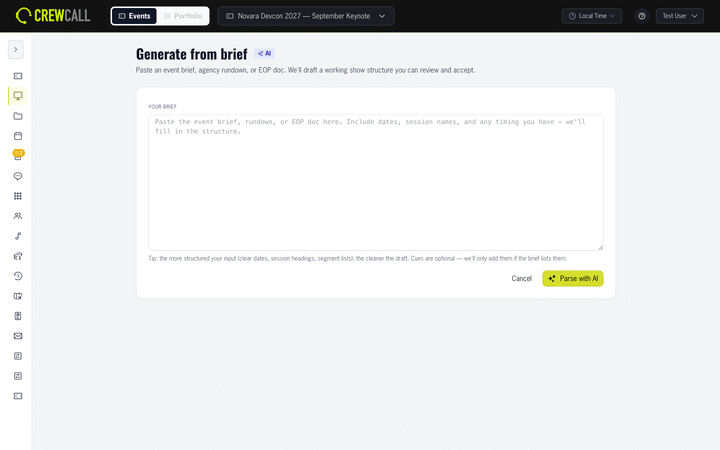
Rundown from a brief
Paste the client brief and get a working session, segment, and cue structure to start from – hours of setup in one step.
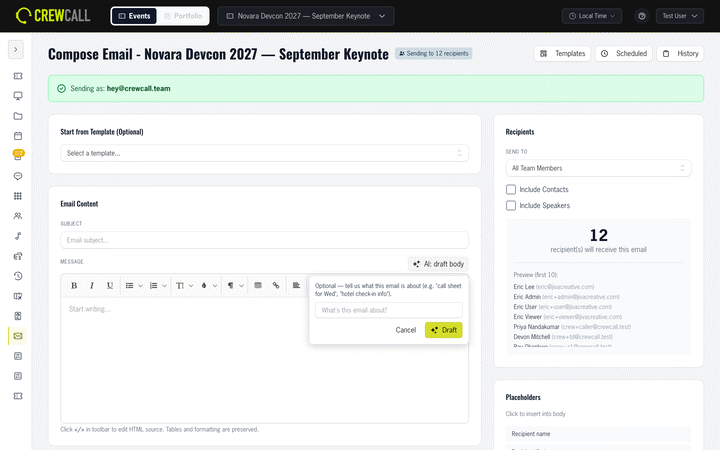
Emails that draft themselves
Tell it what the message needs to say and to whom – get a clean, on-brand draft ready to review and send.
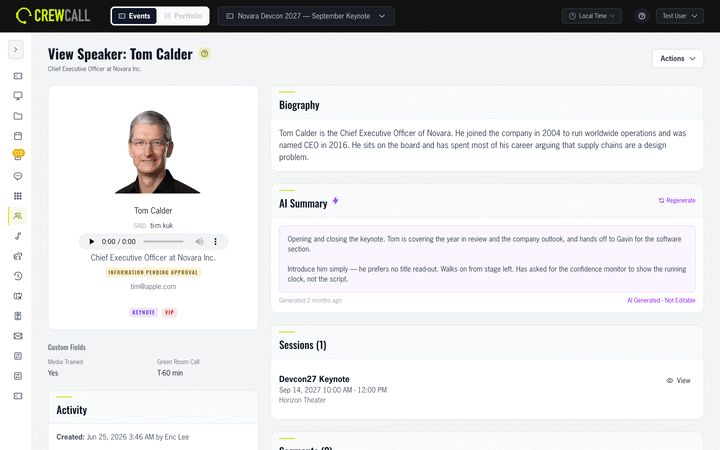
Instant speaker summaries
AI-generated speaker bios and briefing summaries, ready for your host, your script, and your program.
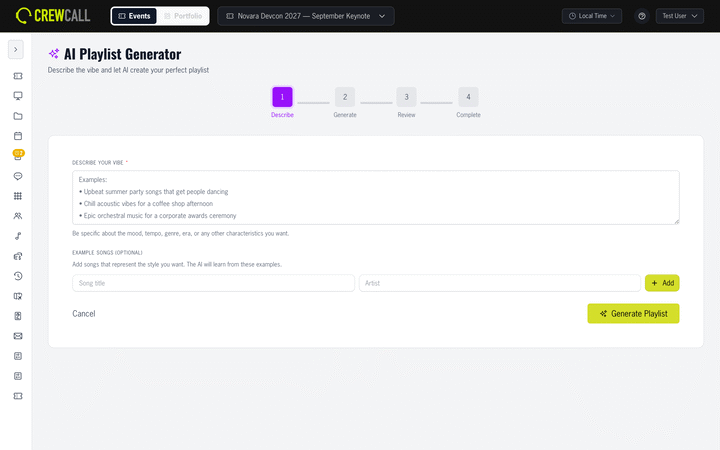
Playlists on demand
Describe the moment – doors, awards walk-up, dinner – and get an AI-built playlist through Spotify or Apple Music.
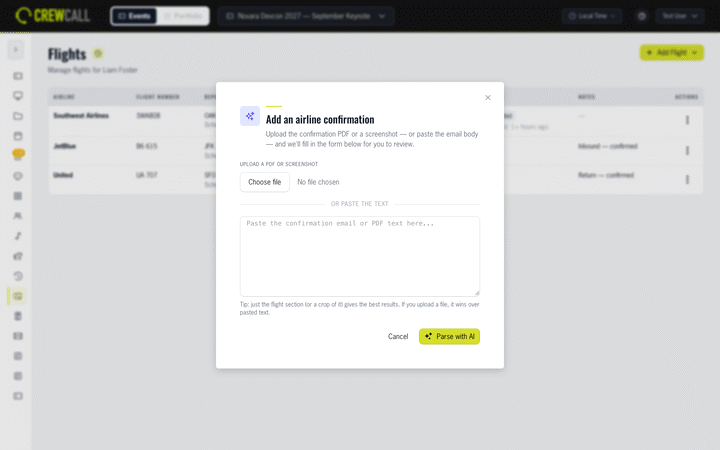
Paste-anything travel import
Paste a confirmation email and CrewCall extracts the flights, hotels, and dates into structured records – no retyping.
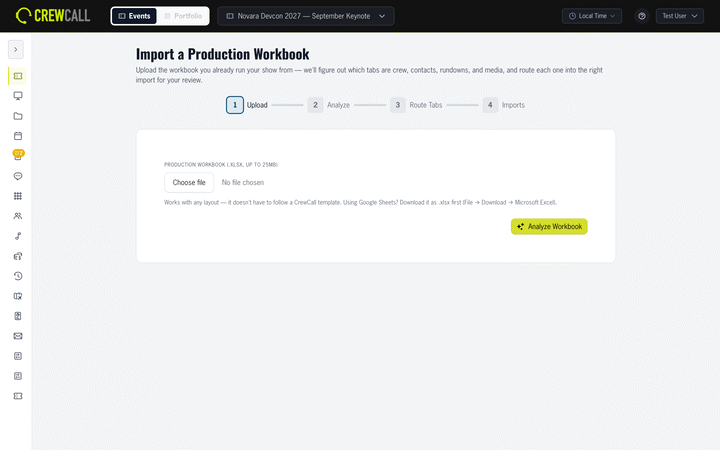
Import anything
Use AI to upload last year's production workbook, and let CrewCall parse and import it, only after you approve the setup.
Post wrap-up
At the end, let AI give an impartial review of the event's setup and execution. Insight you can roll forward.
AI estimates
Build an estimate informed by historical actuals of previous events. It gets smarter each time.
Powerful Integrations
CrewCall meets your show where it already lives.
Apple Music
Search the full Apple Music catalog, preview tracks, and build walk-in, dinner, and awards playlists without leaving the event.
Spotify
Connect your account to search and preview music, then push AI-generated playlists straight into your Spotify library for playback.
Box
Import show files from Box, mirror CrewCall content back, and send an estimate for signature with Box Sign – the signed PDF lands back on the estimate.
Dropbox
Link decks, videos, and graphics in place from Dropbox, so your content library always points at the current version, not a copy somebody downloaded last week.
Sign in with Google, pull show content straight from Drive, mirror it back, and push your schedule to Google Calendar.
Asana
Two-way task sync: CrewCall tasks land in your team's Asana projects, and updates flow back – nobody re-enters anything.
Slack
Post event alerts into the channel your crew already watches – flight status changes, cue and schedule moves, new calendar items, and AI drafts ready for review.
Microsoft
Sign in with Microsoft and push the show schedule to Outlook Calendar, so call times land where half your crew already looks.
API & Webhooks
Per-event read-only API tokens and outbound webhooks for the dashboard, the spreadsheet, or the tool we haven't met yet.
The last button of the show
Archiving that eliminates the rage.
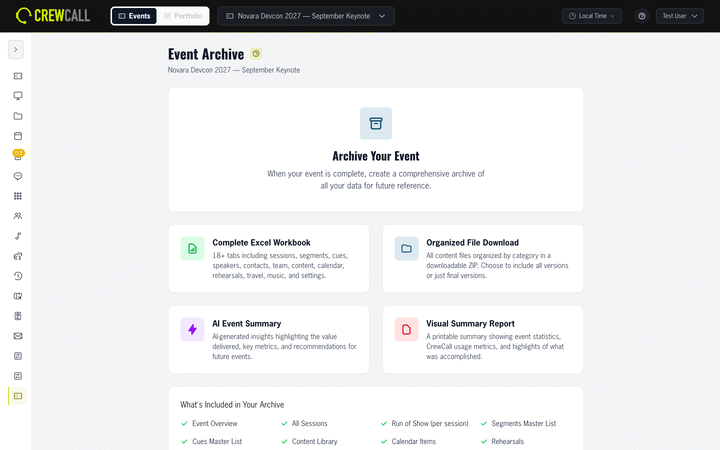
Archiving is definitely not the fun part. That's why once a show is closed, you can push a button (ONE BUTTON!) and CrewCall archives your show. Literally everything. Export every ROS, every session, every calendar entry, speaker, budget, crew meal, email, everything. And files? Yep every file (you choose ALL files, or FINAL files), along with an AI review of your production for insights you may have missed.
It isn't glamorous, but it's got to be done, and now it's painless.
Get Early Access
Onboarding select partners now.